
Become a Systems-enabled Virtual Worker in the Competitive Digital Market

Gain the Systems Advantage and build your career as a Systems-enabled Virtual Worker. Master the exact strategies and systems you need to go from "aspiring" to "hired." We teach you how to build a professional foundation that clients actually trust.

via Google Meet | 📅 August 6 to August 8, 2026 | 7 PM
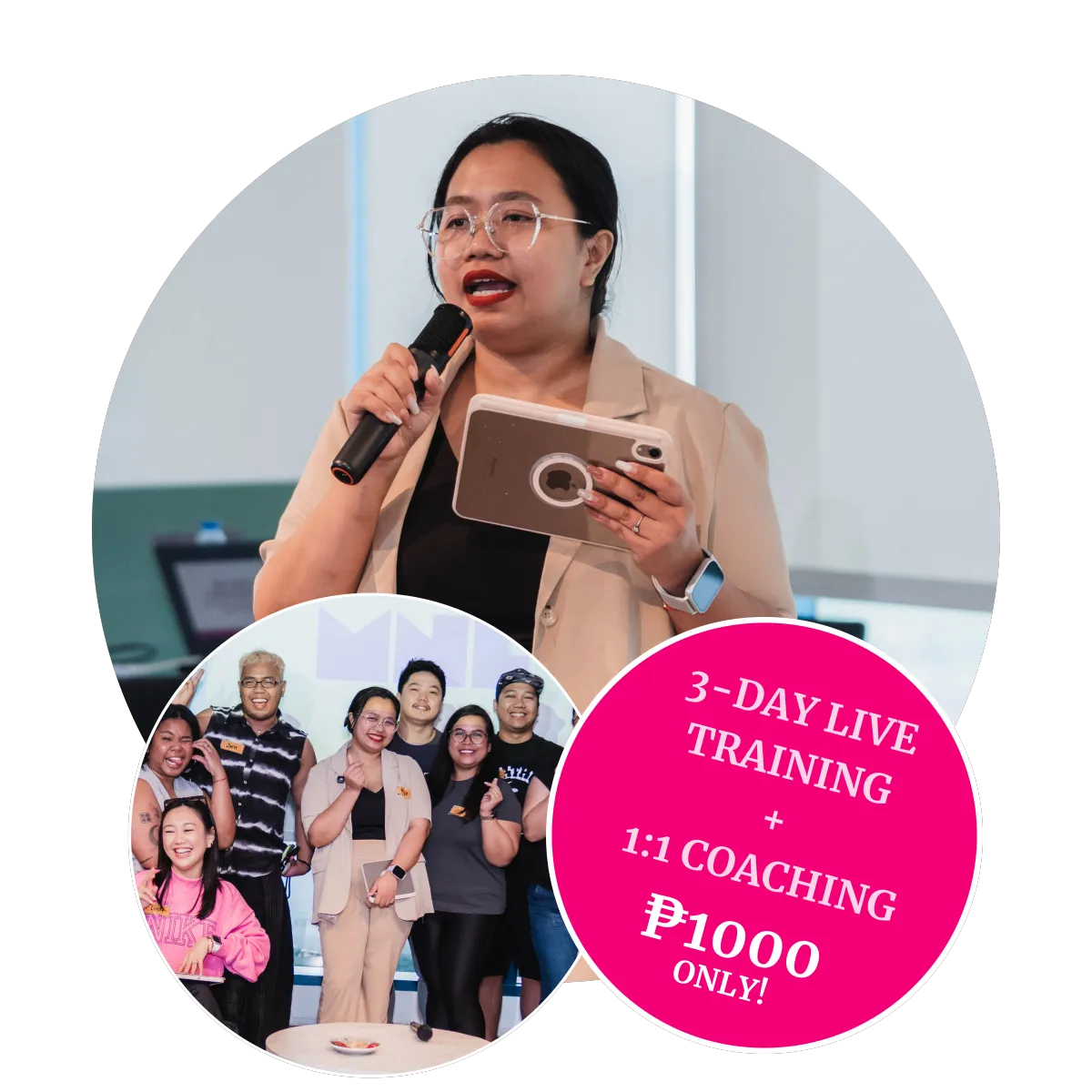
Being a General VA has a ceiling. Being systems-enabled doesn't.
Most VA courses teach you tools. This one teaches you to see a business the way an operator does — so you can design the process, not just execute the step someone hands you.
The Virtual Career Launchpad
Access this course for ₱1,000 only
Learns process mapping, systems, and positioning as one skill
Spots the broken process and proposes the fix
Pitches with proof — a real SOP, system, and outreach record
Opens the door to OBM, systems, and agency-level work
*Limited Time Only
The training follows the same logic you'll be teaching your future clients.
Every live day maps to one flowchart symbol you'll actually use on the job because the fastest way to learn process thinking is to be trained inside one.

Day 1
Systems Thinking & Process Mapping
Mindset shift — from task-doer to systems-enabled virtual worker, with a live identity-statement exercise
Administrative systems — async communication, inbox 4Ds, calendar time-blocking, file structure & naming
Client journey mapping — Awareness through Retention
Process mapping fundamentals — flowchart symbols & decision logic
Live workshop: map a real client onboarding process
SOP building — turn your process map into a working SOP

Day 2
Systems & Automation
Task hierarchy — milestones, tasks, and subtasks
Live workshop: build your own task system in ClickUp using your Day 1 SOP
Automation logic — Trigger → Action → Delay, and the Golden Rule of Automation
CRM basics — tags vs. segments, pipeline stages
Live workshop: Paper Zap mapping — plan a real automation and estimate time saved
Day 3
Positioning & Landing the Client
The Niche Formula — build your "I Help" positioning statement
Outreach frameworks — TAR for job posts, CPR for cold outreach
Live workshop: draft a CPR message and a TAR application, with peer feedback
Pitch delivery practice — say it out loud, not just on paper
30-Day Roadmap — walkthrough & Job Application Tracker setup
Commitments — state your first 24-hour action before you leave
and get access to the following:
Lifetime Access to Our Course Membership Site
Lifetime Access to Training Recording
Lifetime Access to Old Training Webinars
Lifetime Access to Working in Pajamas Community
Access to Full Freelancer Toolkit:
Access to Valuable Facebook & LinkedIn Groups
Job Application Tracking System
SOP Template
Workflow Template
Habit Building Tracker
Service Contract Template
ClickUp Templates and discounts:
Simple Task List Template for your Client Work
ClickUp Setup for the Free Version
Content Creation Setup
And many more...
*Limited Time Only
THE PROGRAM STRUCTURE
Three live training days.
Three days to finish the work.
One call to push through.
2.5–3 hours per live day, built around workshops, not lectures. The learning doesn't stop after Day 3, you'll continue implementing with ongoing support, resources, and guidance.

LIVE — DAYS 1–3
Learn by building
Mindset, admin systems, process mapping, PM & automation, positioning — each day ends with a real artifact.
Map and document a real process
Build a working ClickUp system
Draft and rehearse your pitch
POST-TRAINING — DAYS 4–6
Finish the work
Structured, self-paced days that turn your live drafts into client-ready assets — not open-ended homework.
Finish your SOP and system
Optimize your profile and resume
Launch real outreach
1:1 COACHING CALL
Push through
Timed a few days after outreach launches, once you've hit real friction — not a generic recap.
Troubleshoot real pitches live
Reconnect to the Day 1 mindset work
Set your next 30 days
Why it's structured this way: most cohorts lose momentum in the gap between "finished training" and "sent outreach." Splitting the work into finish-days and timing one call for right after the first rejection keeps the mindset work useful when it's actually tested.

ABOUT THE COACH
Led by Coach Moriah
Systems & Process Specialist · Online Business Manager
Founder of Working in Pajamas since 2020, built to help aspiring freelancers make the same shift she made — from task execution to systems design — for Virtual Assistants, OBMs (Online Business Managers), and project management work with clients across the UK, Australia, and the US.


Frequently Asked Questions
Who is this course for?
This is for you if:
⭑ You've been "figuring it out" on your own for months, but still don't feel ready
⭑ You keep second-guessing your skills even though you know you're capable
⭑ You've applied for VA jobs, but don't understand why you're not getting replies
⭑ You have no idea where to start once a client actually says yes
⭑ You want to work online, but feel like everyone else already has a head start
If any of those sound familiar, the gap usually isn't skill — it's not yet having a system, a portfolio piece, and a pitch that proves what you can do.
What if I don't have any VA or freelancing experience yet?
That's exactly who this is designed for.
You don't walk in with a portfolio — you build one. By the end of Day 1 you'll have a real SOP, by Day 2 a working system, and by Day 3 an actual outreach message. Those become your proof of work, so you're not applying with "no experience," you're applying with something you built during training.
How much time do I need to commit, and when?
3 hours per day for 3 live days, plus 3 structured post-training work days (not open-ended — each has one clear deliverable), and one group call after that.
Total live time is 9 hours across the whole program, designed to fit around a day job or other commitments.
What tools do I need, and do I need to pay for anything extra?
No paid tools required — everything is built on free tiers (ClickUp, Lucidchart, and similar). You'll get a short pre-work setup list before Day 1 so live time goes straight into building, not creating accounts.
What happens after the training ends — am I on my own?
No. The 3 post-training work days have specific daily deliverables to keep you moving, and the group call is deliberately scheduled for a few days after you've started outreach — timed for when you've likely hit your first silence or "no," which is usually where people quit on their own.